Configuring Countdown tile-specific settings
To configure settings specific to Countdown tiles:
Countdown Settings
-
Click the gear icon > Countdown Settings.
-
In Countdown Settings, specify the following details:
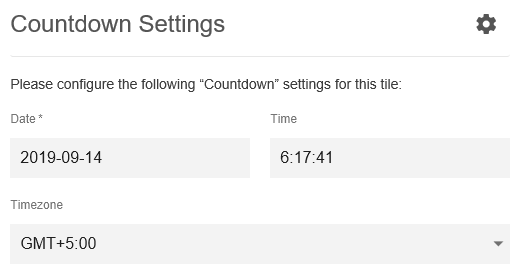
Date | Enter a valid date. |
Time | Enter valid time. |
Timezone | Select a timezone from the provided list. |
-
In Display Settings, configure the display settings.

-
In Display Style, select the display style.
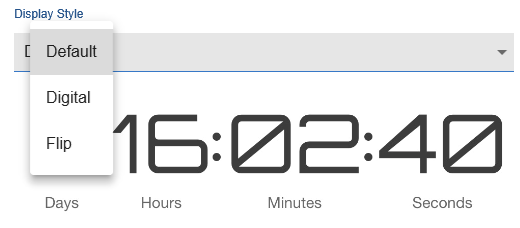
-
Verify the Countdown Tile screen to ensure that the configurations are completed successfully.
-
Click Save Tile Settings.
Countdown tile is configured successfully.
General Settings
For detailed instructions to set up general tile settings see General Settings of JEP tiles