Managing Support Center
The Support Center streamlines how users find answers by dedicating a path to just that.
The Support Center provides a user experience focused on enabling self-help and community support with the goal of reducing the number of new support cases being created.
The Support Center:
- Helps users quickly find their answers by using predictive search and providing official answers.
- Discourages users from cluttering up the community with already-answered questions by providing a configurable layout so you can surface targeted topics and common answers.
- Gives users a place to easily ask the community a question if an answer doesn't exist.
- Lets you adjust the layout and style to reflect your organization's content and branding.
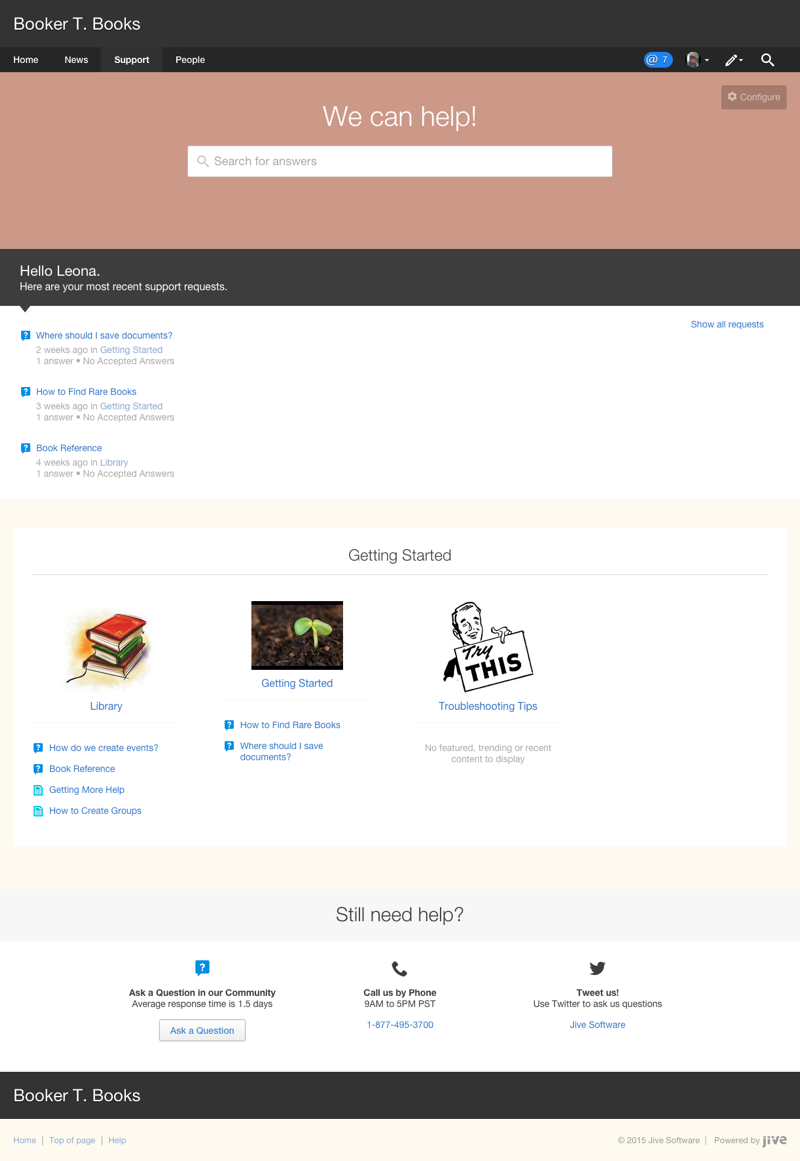
Here's a sample of how you might set up Support Center for an external community for an online bookselling company.
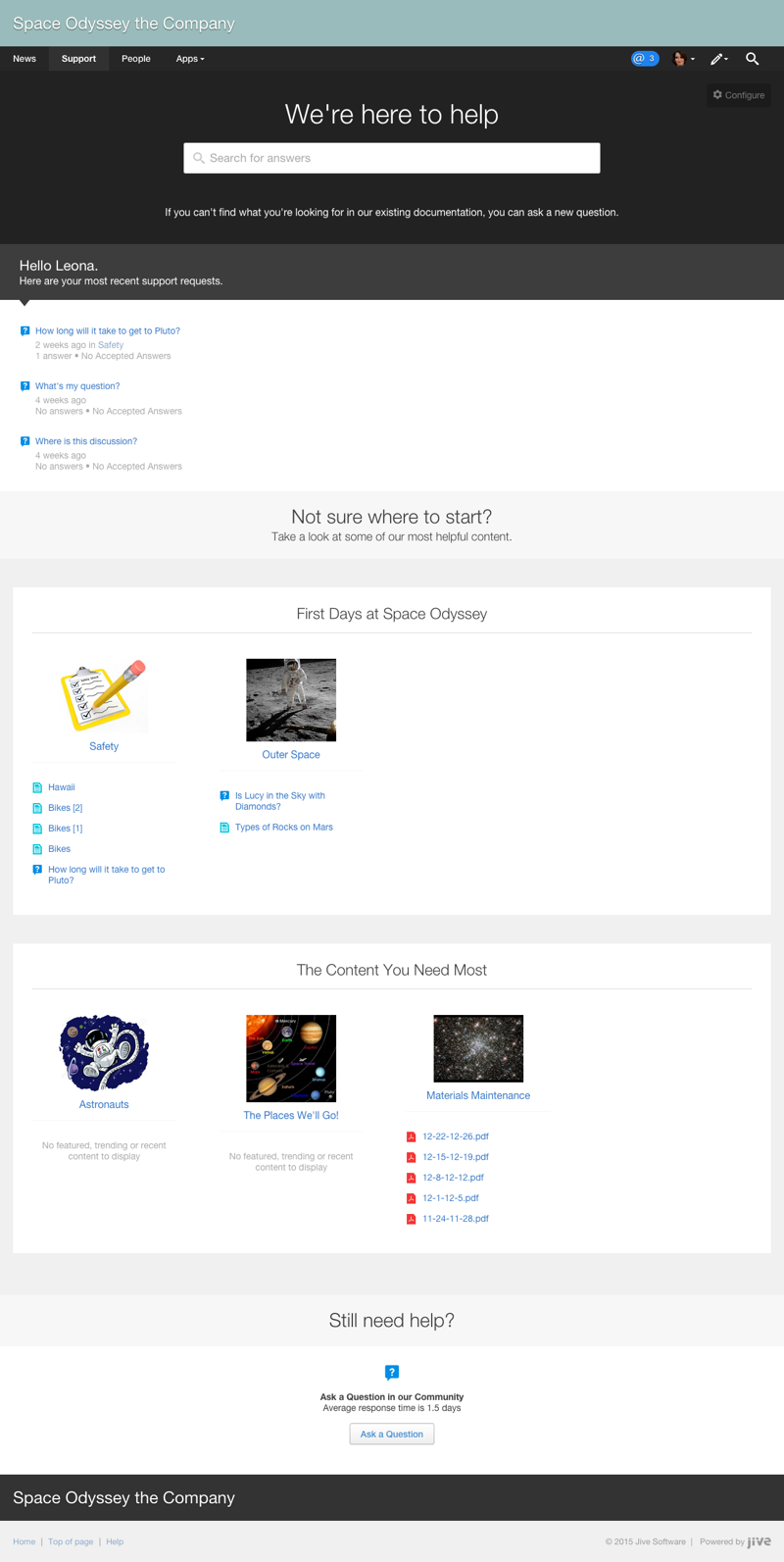
Here's a sample of how you might set up Support Center for an internal community for a space exploration company.
- Enabling Support Center If you see Support in the main navigation menu of your community, then you have the Support Center enabled. Otherwise, you need to enable it.
- Adding Support link By using the theming tool, you can add the Support link to the main navigation so users can access the Support Center.
- Remove or rename Support link By using the theming tool, you can remove or rename the Support link.
- Assigning Support Center permissions You can assign Manage Support Center permission to the users who need to design and maintain the Support Center.
- Designing Support Center Before you publish the Support Center to your community, you need to design it. It not only means choosing the colors and fonts you like but also adding content in the form of sections and places.
- Enabling Support Center If you see Support in the main navigation menu of your community, then you have the Support Center enabled. Otherwise, you need to enable it.
- Adding Support link By using the theming tool, you can add the Support link to the main navigation so users can access the Support Center.
- Remove or rename Support link By using the theming tool, you can remove or rename the Support link.
- Assigning Support Center permissions You can assign Manage Support Center permission to the users who need to design and maintain the Support Center.
- Designing Support Center Before you publish the Support Center to your community, you need to design it. It not only means choosing the colors and fonts you like but also adding content in the form of sections and places.
- Enabling Support Center If you see Support in the main navigation menu of your community, then you have the Support Center enabled. Otherwise, you need to enable it.
- Adding Support link By using the theming tool, you can add the Support link to the main navigation so users can access the Support Center.
- Remove or rename Support link By using the theming tool, you can remove or rename the Support link.
- Assigning Support Center permissions You can assign Manage Support Center permission to the users who need to design and maintain the Support Center.
- Designing Support Center Before you publish the Support Center to your community, you need to design it. It not only means choosing the colors and fonts you like but also adding content in the form of sections and places.
- Enabling Support Center If you see Support in the main navigation menu of your community, then you have the Support Center enabled. Otherwise, you need to enable it.
- Adding Support link By using the theming tool, you can add the Support link to the main navigation so users can access the Support Center.
- Remove or rename Support link By using the theming tool, you can remove or rename the Support link.
- Assigning Support Center permissions You can assign Manage Support Center permission to the users who need to design and maintain the Support Center.
- Designing Support Center Before you publish the Support Center to your community, you need to design it. It not only means choosing the colors and fonts you like but also adding content in the form of sections and places.
Related